Close the Till With Confidence, Every Single Day
Reconcile cash, card and bank at the end of the day, with today's sales kept apart from money held against open or reserved orders. VAT follows your business setting, expenses are logged as they happen, and balances live in ledgers, not notebooks.
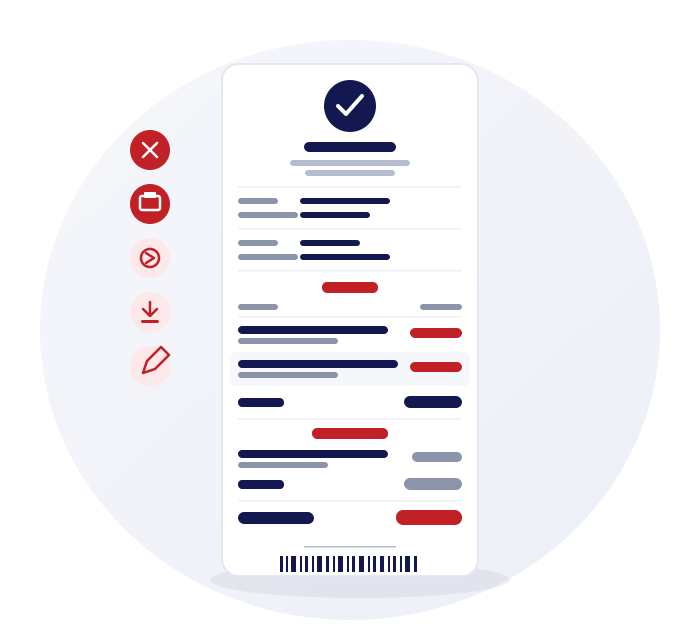
Daily closing that separates sales from reserved funds
A till total is only useful if you know what it contains. Closing splits the money from today's sales from funds held against other orders.
Sales and reserved funds
Closing reports today's sales separately from funds held against reserved or open orders, so the figure matches the day.
Cash, card and bank
Each payment method is totalled, ready to compare with the cash drawer and your bank.
Detailed, printable export
Download or print the closing breakdown for your records.
Payments received report
Every payment, whether a new sale or a credit top-up, is listed in one report, including walk-ins.
VAT on or off, inclusive or exclusive prices
Set how your business prices and taxes once, and the till follows it. Used and refurbished stock is handled differently from new stock.
Inclusive or exclusive
Turn VAT on for the business, then set each tax rate as inclusive or exclusive of the price you enter.
On receipts and invoices
When VAT is on, receipts and A4 invoices show the VAT charged and your VAT number once you have added it. When VAT is off, no VAT is added to sales and no VAT amounts are printed.
Your own tax rates
Define tax names and rates, including exempt, and apply them to products and suppliers.
VAT margin scheme support for second-hand goods
Used and refurbished products are kept VAT-free at the till, VAT applies to products marked new, and VAT can be switched on or off for your business. Gadgets POS does not work out the VAT due on your margin, print margin-scheme invoice wording or keep a margin-scheme stock book, so ask your accountant how to record and report it.
Expenses, daily and recurring
Costs belong in the same system as takings, so profit is not a guess.
Daily expenses
Log and categorise expenses as they happen, split by day.
Business expenses
Record the wider costs of running the business alongside the daily ones.
Recurring expenses
Monthly business expenses can post automatically, so rent and subscriptions do not get forgotten.
Returns and trade-ins netted off
Reports should show what you really sold, after returns and trade-ins.
Returns netted
Returns and voids are netted off in the sales reports, including the tax on them.
Trade-ins against sales
A trade-in value nets off the sale it was part of, and has its own trade-in reports.
Customer and supplier ledgers
Credit accounts and supplier balances keep a running ledger, with payments recorded against each.
Exports for your accountant
Give your accountant something they can open.
PDF and CSV
Download reports as PDF or CSV and send them on, including payments received, expenses and closing breakdowns.
No accounting-package link
There is no direct link to Xero, QuickBooks or Sage. You export the figures and send them.
Keep reading
Sales, margin and profit reports
The numbers behind the closing figure.
EPOS system for mobile phone shops (UK)
VAT, receipts and closing for UK phone shops.
Multi-store POS
Close several branches at once with bulk closing.
Frequently asked questions
Answers on VAT, reports, data and hardware.
Questions about closing and VAT
Is VAT handled automatically?
VAT follows your business setting, with your own tax rates and inclusive or exclusive prices. Used and refurbished products are kept VAT-free at the till, VAT applies to products marked new, and VAT can be switched on or off for your business. When VAT is on, receipts and A4 invoices show the VAT charged and your VAT number once you have added it. When VAT is off, no VAT is added to sales and no VAT amounts are printed.
Does Gadgets POS support the VAT margin scheme for second-hand goods?
Yes, in part. Used and refurbished products are kept VAT-free at the till, VAT applies to products marked new, and VAT can be switched on or off for your business. Gadgets POS does not work out the VAT due on your margin, print margin-scheme invoice wording or keep a margin-scheme stock book, so ask your accountant how to record and report it.
Can customers pay on credit or in instalments?
Credit accounts let a customer pay part now and the rest later, with a running balance and an optional limit. Gadgets POS does not produce instalment schedules or finance agreements, so it covers shop credit rather than EMI or layaway.
Can I export a daily closing report?
Yes. The daily closing breakdown can be downloaded or printed, and other reports such as payments received can be exported to PDF or CSV. Your accountant receives files they can open in standard software.
Does the Payments Received report include credit top-ups?
Yes. It lists every payment taken, whether it was for a new sale or a top-up against a customer's credit balance, including walk-in customers. It is a useful cross-check against your daily closing.
Can I close several branches at once?
Yes. Each branch has its own daily closing, and bulk closing runs it across several branches in one go. Each closing keeps the day's sales apart from funds reserved against open orders.
Does it connect to Xero, QuickBooks or Sage?
No. There is no direct link to accounting packages. You download reports as PDF or CSV and send or import them yourself, which most accountants are comfortable with.