Point of Sale Built for Repair & Retail Shops
A till that keeps up with how a phone or repair shop actually trades. Sale, return, replace, trade-in and repair lines run under one order and print on one receipt, so there is nothing to reconcile by hand at the end of the day.
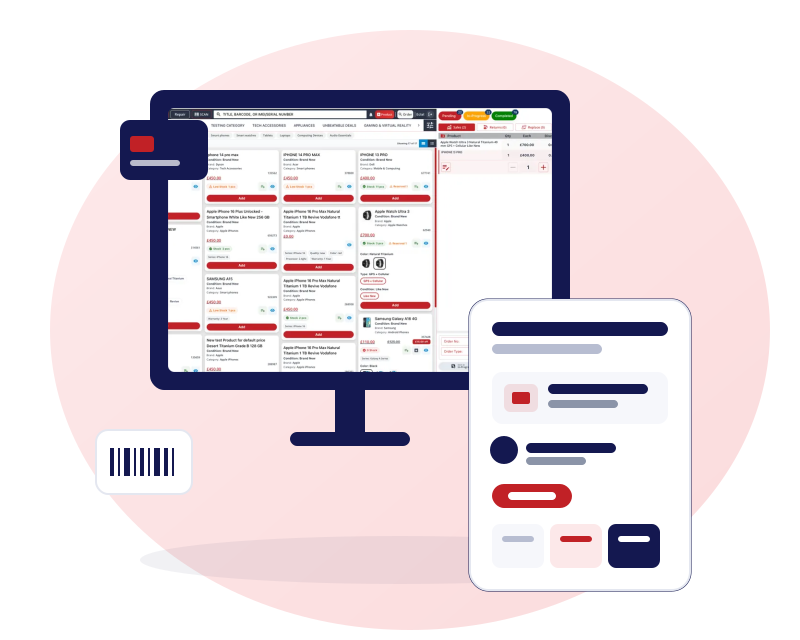
Check customers out faster
The till is built around scanning. Whether the barcode is on a box or the item is a phone with an IMEI, one scan puts it in the cart.
Scan barcodes and IMEIs
Keyboard-wedge scanners type the code into the till. Scan a barcode or an IMEI and the line adds itself. A unit already sitting in another open cart in your business is refused.
Every order action on one receipt
Sale, return, replace, trade-in and repair lines share one order and one receipt, so a customer who buys, returns and trades in during one visit gets one document.
Faulty or not faulty on returns
Mark each returned item faulty or not faulty and choose whether it goes back into stock, so restocking and refunds are never a guess.
Hold an order and come back
Park an order as pending, serve the next customer and finish the first one later from the pending list or the board.
Payments, handled properly
However the customer pays, it lands on the same receipt and in the same end-of-day figures.
Split payments
Take cash, card, bank transfer and a gift card in any combination on one sale.
Credit accounts
Let regular customers pay part now and the rest later. Each customer has a running balance and an optional credit limit.
Gift cards, vouchers and loyalty
Sell and redeem gift cards and vouchers, and reward customers with loyalty points earned by product or category.
Customer ledger and receipts
Each customer's purchases, payments and balance sit in one ledger. Print receipts, email them as HTML with a PDF attached, or share them on WhatsApp (sending a PDF from your own number is rolling out).
One login, every branch
Run one till or several from the same account, with each branch keeping its own stock, staff and daily closing.
Many branches, one login
Add your shops under a single login and switch between them without signing out.
Role-based permissions
Choose what each person can see and do, from price overrides and returns to which reports and cost fields they can open.
Stock between branches
Request and send stock between shops. The receiving branch accepts it before it lands in its stock.
Branch-level reporting
Filter any report to one branch, or look across all of them.
Hardware that works with it
Gadgets POS prints to the hardware phone shops already use, so you do not have to replace your counter to try it.
Receipt printers
Thermal receipts at 58, 72 or 80 mm, or A4 for invoices, with a cash drawer command.
Label printers
Print barcode and price labels on Zebra and DYMO label printers.
Barcode scanners
Keyboard-wedge scanners work as typed input. We have not tested every model, so tell us what you use.
Hardware we supply
A 15.6-inch touch-screen terminal (£270), an 80 mm receipt printer (£80) and a 2D barcode scanner (£40), all one-off prices.
Keep reading
POS system for mobile phone shops
How the till, stock room and repair bench fit together in a phone shop.
EPOS system for mobile phone shops (UK)
VAT, receipts, daily closing and hardware for UK phone shops.
POS system for gadget and electronics shops
Barcode checkout, labels, serial-numbered stock and gift cards for electronics retail.
How to choose a POS for a phone shop
A neutral checklist to compare any system before you buy.
Questions about the till
Can I process a sale and a return in the same order?
Yes. Sale, return, replace, trade-in and repair lines can sit on one order and print on one receipt. Each returned item is marked faulty or not faulty, and you choose whether it goes back into stock. A trade-in value nets off what the customer owes.
Does Gadgets POS work across more than one branch?
Yes. You add each shop under one login and switch between them. Every branch has its own stock, staff and daily closing, and you can filter reports to one branch or look across all of them. Stock moves between branches by request and approval.
Can customers pay in instalments or on credit?
Credit accounts let a customer pay part of a bill now and the rest later, with a running balance and an optional credit limit. Gadgets POS does not create instalment or finance plans with a payment schedule, so it suits shop credit rather than layaway or EMI.
Which payments can I record at the till?
You can record cash, card and bank payments and gift card redemptions, and split one sale across them. Each payment is stored against the order, so daily closing can reconcile cash, card and bank. Customers on a credit account can pay part now and the rest later.
Can I limit what each member of staff can do?
Yes. Roles carry hundreds of individual permissions, such as who can process returns, override prices, see cost fields, print receipts or open reports. Hide-field rules keep sensitive columns away from junior staff, and you assign a role to each user.
Does the till work offline?
No. Gadgets POS runs in the cloud and needs an internet connection to take sales; there is no offline selling mode, in a browser or in the desktop app. If your connection is unreliable, plan a backup such as mobile data on the counter computer.
Is there a desktop app for the till?
Yes. The desktop app opens your cloud account in its own window on the counter computer, so it needs an internet connection and has no offline selling mode. It has printer settings for receipts, A4 and labels, and on Windows it prints to the printer port you set. The browser version needs no installation.