Run One Shop or Ten, From the Same Login
Add each shop under one account and switch between them without signing out. Every branch keeps its own stock, staff and daily closing, and reports can be filtered to a single shop or looked at across all of them.
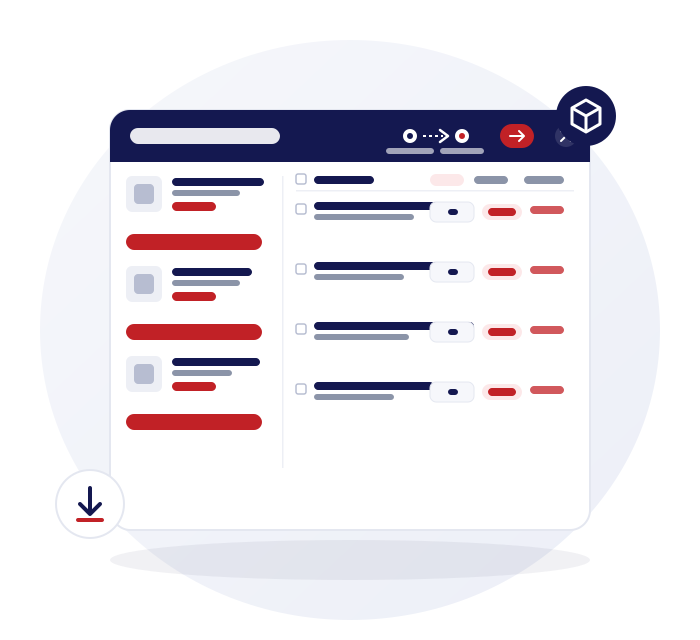
One login, a switcher for every branch
You sign in once. Switching shop is a click, not a new account and a new password.
Branches under one account
Add businesses or branches under a single login and move between them from the switcher.
Separate stock and staff
Each branch has its own stock, staff and closing, so one shop's till never muddles another's.
Settings per business
Each business keeps its own currency and tax settings.
Stores and locations
Add store locations to a business, with addresses and ratings that feed the store locator on your web shop.
Stock transfers with approval
A transfer is a request and an acceptance, so the sending and receiving shops agree on what moved.
Request and send
A branch can ask another for stock or send it. Nothing lands in stock until the other end accepts.
Accept or reject
The receiving branch accepts or rejects. Rejected and declined requests are kept in their own tab.
Request orders to a main store
A shop can ask your central store for stock with a request order.
Printable transfer lists
Print the stock management list for a transfer to check against what arrives.
Reports per branch or rolled up
Ask the same question of one shop or of all of them.
Branch-level reporting
Filter sales, margin and stock reports down to a single branch, or look across all of them.
Business summary
See margin, profit analysis, top products by margin and your expense and purchasing breakdowns in one summary.
Staff reports
Report on sales by the member of staff who served the customer.
Bulk daily closing across branches
Each shop closes its own day. When you run several, you do not have to repeat the job ten times.
Close several branches at once
Bulk closing runs the daily closing across your branches in one go.
Sales kept apart from reserved funds
Each closing separates today's sales from money held against open or reserved orders.
Daily and recurring expenses
Log expenses daily, and post recurring monthly business expenses automatically.
Staff roles and privileges
In a bigger team, the permissions matter as much as the features.
Fine-grained roles
Roles carry hundreds of individual permissions, from returns and price changes to which reports a person can open.
Hide sensitive fields
Keep cost and profit columns away from roles that should not see them.
Staff and login logs
See who did what, and when they signed in.
Customers assigned to staff
Assign customers to a member of staff and report on them.
Chains and growing shops
Multi-store does not have to mean a big chain.
Two or three shops
Owner-run shops that want one login, one set of products and one view of the numbers.
A main store with satellite shops
Request orders and container shipments suit a central store supplying several shops.
Keep reading
POS system for mobile phone shops
The full picture of a phone shop on Gadgets POS.
Daily closing, VAT and expenses
Per-branch closing and bulk closing across shops.
Sales, margin and profit reports
Per-branch and business-wide figures.
Pricing for phone and repair shops
How we quote for one shop or several.
Questions about running several shops
How many branches can I add?
You add each shop as a business under your login. The number you need is part of your quote, so tell us how many shops you run when you start your trial. Switching between them uses one login and one switcher.
Can different staff have different permissions?
Yes. Roles are assigned per user and carry hundreds of individual permissions. A role can hide fields such as cost and block actions such as returns or price changes, so each person sees and does only what you decide.
Does stock move instantly between branches?
No. A transfer is a request and an acceptance. One branch asks or sends, the other accepts or rejects, and rejected requests stay in their own tab. This keeps each branch's count accurate rather than moving stock without the other end knowing.
Can I see a report for one branch only?
Yes. Reports can be filtered down to a single branch or looked at across all of them. That includes sales, margin and stock reports, and you can download them as PDF or CSV for your accountant.
Does each branch close its own day?
Yes. Each branch has its own daily closing, and bulk closing lets you run it across several branches at once. Each closing separates the day's sales from funds reserved against open orders.
Is there a franchise feature?
No. Gadgets POS has no franchise tools such as royalty reporting or franchisee billing. It suits owners who run several shops under one login, with a main store supplying satellite shops if you wish.